Skip to content
Brevity
ExploreToolsModelsBlogPricing
Log in
Start creating
  1. AI video tools
  2. /
  3. AI UGC Video Generator for Creator-Style Videos
Creator-style production

AI UGC Video Generator for Creator-Style Videos

Build clearly presented creator-style product videos from an approved script, product material, visual direction, voice, music, and captions—without implying a real customer endorsement.

Create a creator-style videoCompare video models

Plan and review before the final render uses credits.

Your browser does not support the video preview.
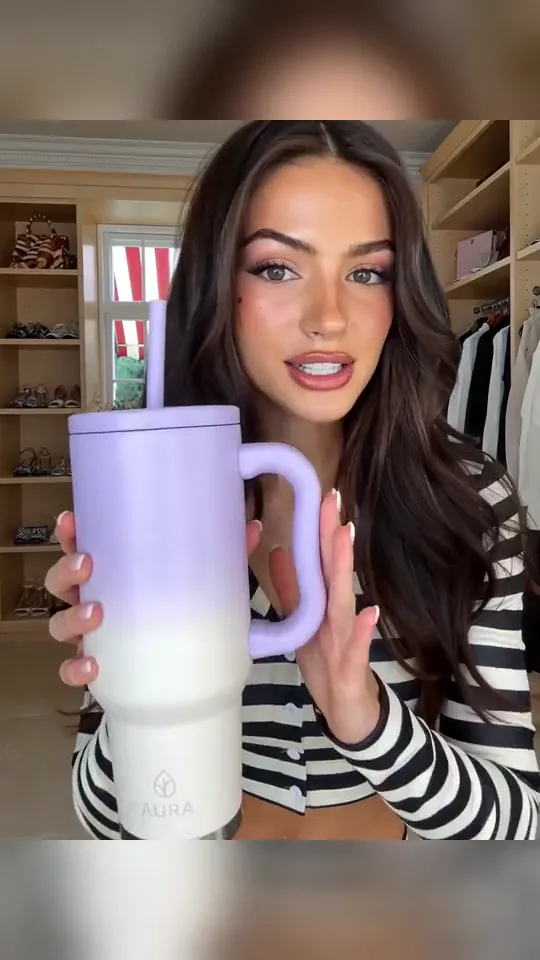
Creator-style reference9:16 · 15s
Creator-style product story

At a glance

The workflow, without the wall of text.

The three decisions that shape the result. The complete production guide stays available below when you need examples, edge cases, or FAQs.

  1. 01

    Write for direct delivery

    Use short spoken beats, visible product moments, and caption-safe phrasing for a creator-led format.

  2. 02

    Keep representation honest

    Treat the result as creator-style creative, not evidence of a real customer's experience or endorsement.

  3. 03

    Control the full package

    Review the script, visuals, voice, music, captions, format, and product claims together.

How it works

A clear route to the first review.

Keep direction, review, and rendering as separate decisions so you can correct the plan before spending credits.

  1. 01

    Define the angle

    Choose a hook, product moment, audience, platform, duration, and exact claims or disclosures.

  2. 02

    Direct the delivery

    Set the speaker style, shot framing, environment, product handling, pacing, and caption plan.

  3. 03

    Review before publishing

    Verify claims, likeness permissions, disclosure needs, and that the format is not presented as organic customer proof.

Better results

Small choices with a visible payoff.

Start with the simplest viable direction. Add complexity only after the subject, action, and timing hold together.

  • Write for spoken delivery

    Short sentences, natural pauses, and one idea per beat make creator-style scripts easier to perform and caption.

  • Stage visible product moments

    Pair each spoken claim with a clear interaction, close-up, demonstration, or interface view.

  • Represent the format honestly

    Present simulated creator-style material as creative, not as a real customer endorsement or organic proof.

Complete guide + FAQ

The detail is here when you need it.

Open the long-form production guide for prompt examples, review criteria, limitations, and frequently asked questions.

Read the full AI UGC Video Generator for Creator-Style Videos guideOptional deep dive · includes practical FAQ

“UGC” is often used as shorthand for a direct, creator-led social format: a person addresses the viewer, demonstrates a product, tells a short story, and lands a clear call to action. When that material is generated or scripted by a brand, it should be presented as creator-style creative—not as organic customer testimony.

The short version

  • Choose a creator-style angle that fits the product and platform rather than copying an alleged customer review.
  • Use approved product facts, spoken wording, visuals, and disclosures.
  • Direct visible delivery: framing, eyeline, gestures, product handling, environment, and caption space.
  • Obtain permission for every likeness, voice, product asset, and source clip used.
  • Do not imply that a generated person bought, tested, or endorses a product unless that statement is genuinely supported and permitted.

In this guide

  1. 01Define the creator-style format
  2. 02Write for direct delivery
  3. 03Direct picture and performance
  4. 04Review representation and claims
  5. 05Frequently asked questions

Choose a format without inventing a customer

Creator-style does not need to imitate a testimonial. Useful structures include:

  • a product walkthrough delivered directly to camera;
  • a “three things to know” explanation;
  • a problem-and-method demonstration;
  • an unboxing-style visual sequence without a false purchase story;
  • a founder, presenter, or clearly fictional character delivering approved copy;
  • a scripted social hook followed by real product footage.

Name the relationship accurately. If the speaker is generated, fictional, employed by the brand, or performing a script, do not describe them as an independent customer.

Write short spoken beats with visible support

Creator-style delivery works when the spoken line and picture reinforce each other. Write a hook that the following shot can substantiate, then alternate between direct delivery, product detail, demonstration, and on-screen text.

Creator-style product brief

Create a 25-second vertical creator-style product walkthrough using the approved script and supplied product media. The presenter introduces the everyday problem, shows the product close to camera, demonstrates the two approved features, and ends on the exact campaign line. Natural home-office setting, believable phone-camera framing, clear lower-third caption space. Present this as scripted brand creative; do not imply a real customer purchase, result, or endorsement.

Keep claims precise. “Here is how the adjustable shelf works” is observable. “This changed my life” asserts a personal experience. Only use experience claims when they come from a real, authorized source and meet the relevant disclosure requirements.

Direct behavior the viewer can see

Specify whether the speaker looks into the lens, holds the product, points to a feature, changes position, or pauses for an insert. Direct the camera as a plausible device: locked phone, gentle handheld movement, or a deliberate product close-up.

Reserve room for captions and platform controls. Keep important product detail away from cropped edges. If the format mixes generated presenter shots with real product media, match light, camera energy, color, and pacing so the transition feels intentional.

Use script-to-video when exact narration leads the project. Use AI product video when the story needs demonstrations, source material, and multiple visual modes beyond direct delivery.

Created material should be recognizable as created material

Disclosure requirements vary by platform, market, product category, and relationship. The publishing team must review the current rules that apply to the campaign and ensure the final presentation is not misleading.

Run a representation pass before publishing

Ask concrete questions:

  1. Who or what does the viewer believe the speaker represents?
  2. Does any line imply a purchase, personal result, expertise, or independent opinion?
  3. Are product capabilities and demonstrations grounded in approved material?
  4. Are likeness, voice, footage, music, and brand-asset permissions documented?
  5. Are advertising, sponsorship, synthetic-media, or category-specific disclosures required?
  6. Do captions preserve those disclosures in every format?

Also review generated frames for unintended logos, text, changed packaging, or product distortion. A casual visual style does not reduce the need for product accuracy.

Frequently asked questions

Is creator-style AI video real user-generated content?

No. If a brand or system creates the script, speaker, or footage, it is created marketing material in a UGC-style format. It should not be represented as an unsolicited customer's post.

Can I use a real person's face or voice?

Only with appropriate permission and within the agreed use. Do not clone, imitate, or imply endorsement by a person without authorization.

Can the script include a testimonial?

Use genuine, authorized testimonial material only when it is accurate and the presentation meets applicable rules. Do not manufacture personal experience for a generated speaker.

What inputs can support the workflow?

An approved script, product URL, product images, footage, documents, audio, visual references, and brand direction can all provide context. The publishing team remains responsible for claims, rights, and final disclosures.


This page documents Brevity's creator-style production workflow as reviewed on 12 August 2026. “UGC” describes the format only; it should never be presented as real customer testimony without a genuine contributor and disclosure.

Continue exploring

Related workflows and models.

Workflow

AI product video

Build a broader product story from approved assets and facts.

Open page
Workflow

Script-to-video AI

Keep approved spoken wording central to the production.

Open page
Workflow

URL-to-video AI

Start the brief from a product or campaign page.

Open page
Model

Kling 3 Pro

Review an available model variant for generated creator-style shots.

Open page

Workflow details reviewed August 12, 2026

Build the complete video

Move from direction to a finished cut.

Review the script, sources, scenes, voice, music, captions, and format before you commit to the final render.

Create a creator-style video
Brevity

Make the video you have in mind.

Start creating

Product

  • Explore videos
  • AI video tools
  • AI video models
  • AI video field guide
  • Pricing
  • Open studio

Popular tools

  • Text to video
  • Image to video
  • Music video generator
  • Product video generator
  • Browse every tool

Company & legal

  • About Brevity
  • Contact
  • Affiliates
  • Privacy policy
  • Terms of service
© 2026 Brevity AIPrivacy policyTerms
Billing by Stripe Managed Payments · EU VAT handled